



Quick Answer
What is an AI course generator?
An AI course generator is software that converts a text prompt, document, or uploaded file into a fully structured eLearning course – complete with modules, slide content, quiz questions, and narration. The best AI course generators in 2026 output SCORM-compliant packages ready for any LMS, cutting a 30–50 hour manual production cycle down to 3–5 hours.
What Is an AI Course Generator and How Does It Work?
Traditional course authoring works like this: an instructional designer receives a brief, outlines the course structure manually, writes each slide individually, creates quiz questions from scratch, records or commissions voiceover, and packages everything for LMS delivery. That process averages 49 hours of production time per one hour of finished eLearning content – a ratio that makes it nearly impossible for L&D teams to keep pace with growing training demands.
An AI course generator changes that equation. Instead of building content manually, the author provides a starting point – a topic description, an existing document, a PowerPoint file and the AI generates the complete course structure in under two minutes. The author then reviews, customizes, and exports. The mechanical 80% of production is handled by the AI; the human focuses on accuracy, context, and quality.
The output is not a rough draft that needs significant rebuilding. A well-tuned AI course generator produces module outlines, slide content, quiz questions, and narration scripts that are typically 70-80% ready for publication after a single review pass.
Step-by-Step: How to Use an AI Course Generator
This walkthrough uses Paradiso Authoring Tool’s AI course creator – the only free AI course generator that includes both AI generation and SCORM 1.2 and 2004 export on a permanent free plan.
Step 1: Choose Your Starting Point
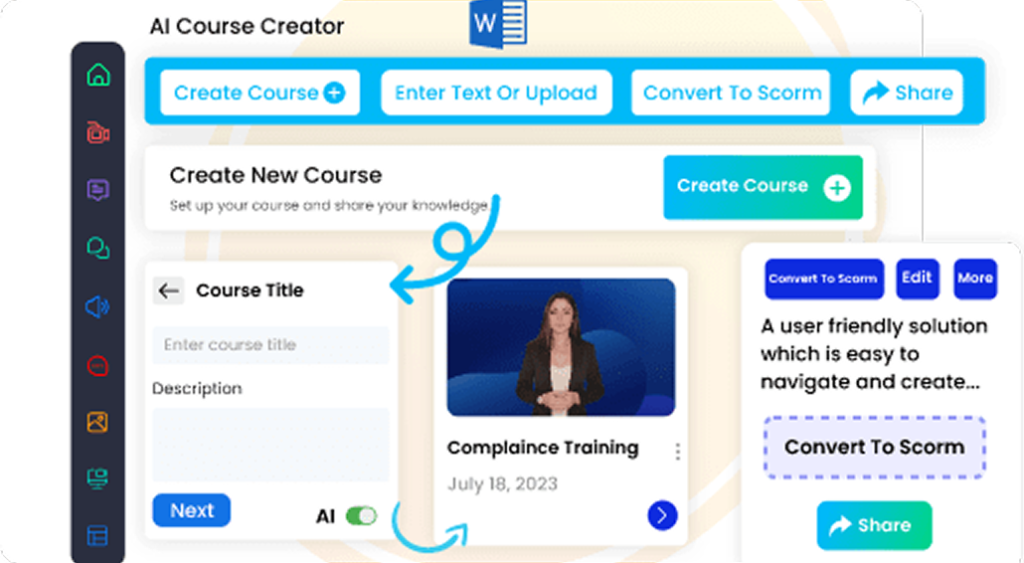
Open the Composer inside Paradiso Authoring Tool. You have three options for starting a course:
- Text prompt: Type your topic in plain language – “cybersecurity awareness training for new employees” or “HIPAA compliance basics for healthcare staff.” The more specific your prompt, the better the first draft.
- Upload a file: Drop in an existing PowerPoint, PDF, Word document. The AI reads the content and restructures it into a proper course format – no manual rebuilding required.
- Choose a template: Select from 50+ ready-made templates for compliance, onboarding, safety, and product training. Customize the template rather than building from zero.
Step 2: Let the AI Generate the Course Structure
After you provide your input, the AI course generator produces a complete course structure in under two minutes. For a typical compliance course, that means five modules with three to four slides each, plus an end-of-course assessment – all drafted and organized automatically.
At this stage, review the structure rather than the content. Does the module sequence make sense? Is anything critical missing? Are the module divisions logical for your audience? This is the point where your subject matter expertise matters most – the AI produces a strong first draft, but you know whether Module 3 should come before Module 2 for your specific context.
Step 3: Customize Content and Add Context
The AI-generated first draft is the starting point, not the finished product. Spend your customization time on three things:
- Replace generic examples with real scenarios. AI course generators produce good general content, but “an employee receives a suspicious email” becomes more effective when it reflects your organization’s actual email patterns and tools.
- Add policy-specific references. For compliance training especially, link to your actual procedures. The AI generates accurate general content; your specific incident reporting process or data handling policy needs to come from your internal documentation.
- Adjust tone and complexity. Paradiso’s editor lets you rewrite individual slides, change layouts, and trim content that doesn’t fit your audience’s level without rebuilding the whole course.
Step 4: Add Quizzes and Voiceover
Paradiso’s AI quiz builder generates assessment questions directly from your course content matching the key concepts on each slide. Review these questions carefully: the AI produces plausible distractors and reasonable question structures, but for regulated content (healthcare, financial services, safety), every question should be validated against the actual standard it is testing.
For voiceover, Paradiso’s AI narration generates natural-sounding audio in over 70 languages from your slide text. Select the voice and language, preview the output, and adjust any pronunciation issues with industry-specific terminology before finalizing.
Step 5: Export as SCORM and Upload to Your LMS
When your course is ready, click Export and choose your SCORM version, SCORM 1.2 for maximum LMS compatibility, or SCORM 2004 if your LMS supports it and your course uses advanced sequencing. Paradiso exports a clean .zip package with no watermarks, ready to upload to Moodle, Cornerstone, SAP SuccessFactors, TalentLMS, or any other SCORM-compliant LMS.
The full workflow — from prompt to published SCORM course in your LMS – takes 3-5 hours for a standard 5-module course. That compares to 30–50 hours for the equivalent course built manually in a traditional authoring tool.
When an AI Course Generator Is the Right Choice
AI course generators work best for high-volume, frequently updated training content where production speed matters more than custom interaction design. The ideal use cases:
- Compliance training – HIPAA, cybersecurity, anti-harassment, safety. These courses need to exist, need to be completed, and need to be updated regularly. AI cuts the refresh cycle from weeks to hours.
- Employee onboarding – content that changes every quarter as tools, policies, and teams evolve. AI makes it practical to update and republish rather than maintaining an outdated course indefinitely.
- Product knowledge training – new feature rollouts, competitive positioning updates, sales enablement. Fast-changing content matches the AI course generator’s production speed advantage.
Where AI course generators are not the right tool: highly custom software simulations requiring precise click-path recording, complex branching scenarios with variable-driven logic, or VR and 360° immersive learning. These remain the domain of specialized desktop authoring tools with deeper interaction design capabilities.
Explore some of the Free SCORM Authoring Tools
Getting Started
The fastest way to understand what an AI course generator can produce is to build one. Use Paradiso Authoring Tool’s AI course creator free – type a topic, generate the structure, and export a SCORM package in a single session. The free plan includes AI generation, SCORM export, voiceover, and 100+ templates with no credit card and no trial expiry.
If you already have training materials in other formats, Paradiso also converts existing content directly to SCORM – PowerPoint to SCORM, PDF to SCORM – without rebuilding anything from scratch.
Check this complete step by step guide on: How to create a course using AI