



You can build a corporate training course in under an hour using an AI course creation tool by starting with a clear training topic, uploading source material, generating a course outline, editing the lessons, adding quizzes or interactions, branding the course, and exporting it as a SCORM package for LMS delivery. AI course generation, document-to-course conversion, quizzes, storyboarding, AI voiceover, and SCORM export, which helps L&D teams create training faster without building every slide manually.
Corporate training teams are under pressure to create more learning content in less time. A new policy needs to be rolled out. A sales process changes. A product update needs to reach customer-facing teams. A compliance module needs to be refreshed before the next audit.
The problem is that traditional course development can take days or weeks. L&D teams have to collect source material, write learning objectives, build slides, create quizzes, add media, check accuracy, publish the course, and upload it to an LMS.
AI course creation tools are changing that workflow.
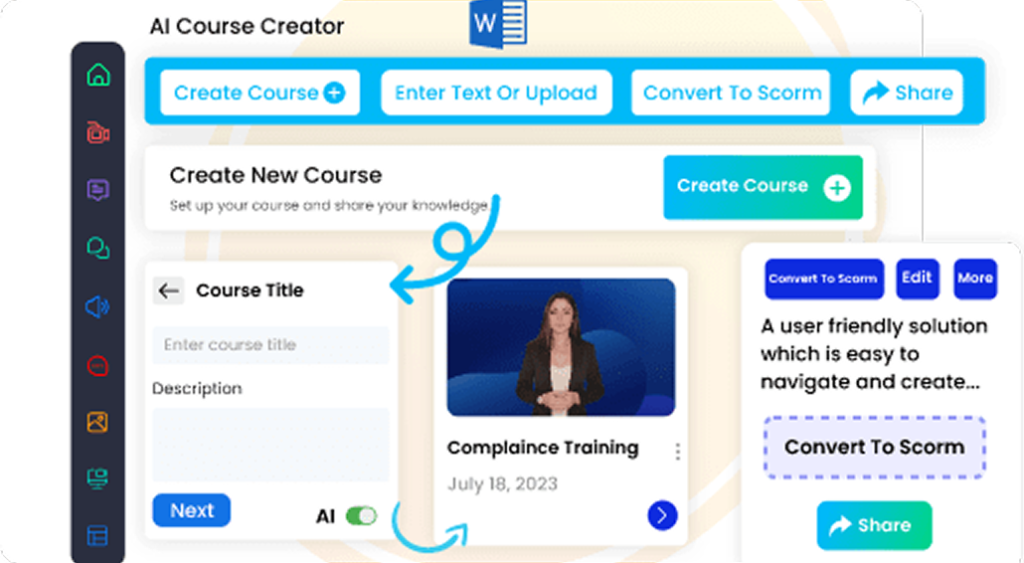
With an AI course builder like, Corporate training teams can turn a topic, document, PowerPoint, PDF, or text file into a structured training course much faster. AI Course Creator is designed to create interactive courses in minutes, generate training modules and assessments, and transform documents into courses.
This guide explains how to build a corporate training course in under an hour using AI while still keeping quality, accuracy, and learner experience in mind.
What Is an AI Course Creation Tool?
An AI course creation tool is software that uses artificial intelligence to help create digital learning content. It can assist with course outlines, lesson structure, summaries, quiz questions, interactions, voiceovers, translations, storyboards, and course publishing.
For corporate training teams, this means less time spent on blank-page course creation and more time spent reviewing, improving, and aligning training with business goals.
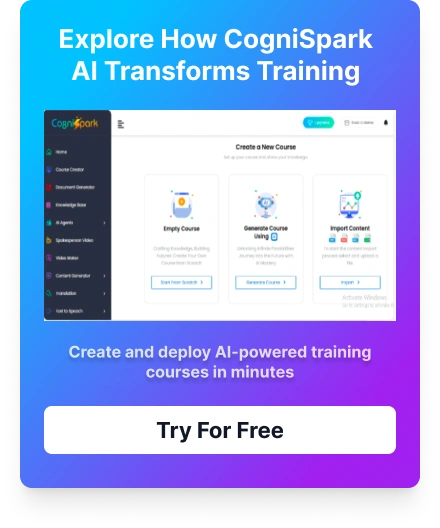
AI-powered authoring tool supports multiple course creation modes, including building from scratch, generating with AI, and importing existing files such as PPT, DOC, PDF, or SCORM files. It also supports AI-generated storyboarding, customization, AI voice-over, quizzes, interactivity, and SCORM export.
In simple terms, AI helps create the first working version of your course. Your L&D team still reviews the content, improves examples, checks accuracy, and makes sure the final course fits your learners.
Why Build Corporate Training Courses with AI?
AI course creation is useful because corporate training content changes often. Policies, products, systems, workflows, and compliance requirements do not stay static.
An AI course creation tool can help L&D teams:
- Build first drafts faster
- Convert existing documents into structured lessons
- Create quizzes and assessments quickly
- Add voiceover or multimedia without separate production tools
- Standardize course structure
- Update training content more easily
- Export courses for LMS delivery
- Reduce repetitive instructional design work
This does not mean every course should be created in a rush. High-risk training, such as safety, legal, medical, financial, or compliance content, still needs subject matter expert review. AI speeds up production, but quality control remains essential.
Before You Start: What You Need to Build a Course Fast
To build a useful corporate training course in under an hour, do not start with a vague prompt like “create a leadership course.” Start with a clear training goal.
Prepare these items first:
| What You Need | Example |
|---|---|
| Training topic | Data privacy basics for new employees |
| Target audience | New hires in sales and customer support |
| Learning goal | Explain how to handle customer data safely |
| Source material | Policy PDF, SOP, PowerPoint, checklist, or notes |
| Course length | 15–20 minutes |
| Assessment type | 5-question quiz or scenario-based check |
| Publishing format | SCORM package for LMS upload |
The better your input, the better your AI-generated course will be.
Step 1: Choose a Focused Training Topic
The fastest AI-generated courses are built around one clear topic.
Instead of asking the AI course creation tool to build a large program like “Complete Sales Training,” choose a narrower module such as:
- Handling pricing objections
- New hire cybersecurity basics
- Product update training for sales teams
- Workplace harassment prevention refresher
- Customer escalation process
- HIPAA awareness for non-clinical staff
- Safety checklist for warehouse employees
A focused topic helps the AI generate a cleaner course outline. It also helps learners complete the training faster.
For example, “Customer Data Privacy Basics for New Employees” is better than “Data Protection Training.” The first topic tells the AI who the course is for and what the course should cover.
Step 2: Upload Your Existing Training Material
Most corporate training teams already have source content. It may be in a policy document, PowerPoint, Word file, PDF, spreadsheet, video transcript, SOP, or internal knowledge base.
AI Course Creator allows users to upload PowerPoint, Word, PDF, or text files and transform that material into a structured course. This is useful because your AI-generated course starts from approved company knowledge instead of generic content.
Good source material includes:
- Company policies
- SOPs
- Product documents
- Compliance manuals
- Sales playbooks
- Onboarding guides
- Customer support scripts
- Process checklists
- Training decks
For best results, remove outdated content before uploading. If your source file contains old policies, duplicate sections, or conflicting instructions, the AI may include those problems in the first draft.
Step 3: Generate the Course Outline with AI
Once the topic and source content are ready, use the AI course creation tool to generate a course outline.
A strong corporate training outline usually includes:
- Course introduction
- Learning objectives
- Key concepts
- Step-by-step process or framework
- Practical workplace examples
- Knowledge checks
- Final quiz or assessment
- Summary and next steps
Ai Supports AI course design and AI content generation for modules, assessments, and summaries. Its authoring tool also includes AI-generated storyboarding, which helps organize the course flow before publishing.
At this stage, your goal is not perfection. Your goal is to get a structured first draft that your team can review quickly.
Step 4: Edit the Lessons for Accuracy and Relevance
AI can create content quickly, but human review is what makes the course trustworthy.
After the first draft is generated, review each lesson for:
- Accuracy
- Company-specific language
- Policy alignment
- Tone and clarity
- Role relevance
- Missing steps
- Incorrect assumptions
- Compliance risk
- Outdated examples
This is especially important for compliance training, legal policies, healthcare training, safety training, financial services training, and customer-facing product claims.
For example, if the AI creates a lesson on data privacy, your legal or compliance team should review whether the definitions, examples, and learner instructions match your organization’s policy.
Use AI to accelerate course creation, but use subject matter experts to protect quality.
Step 5: Add Scenarios, Examples, and Interactions
Corporate learners do not need long theory-heavy courses. They need training that helps them make better decisions at work.
After editing the core lessons, add practical examples such as:
- “What would you do?” scenarios
- Role-based decision points
- Customer conversation examples
- Compliance do/don’t situations
- Process walkthroughs
- Short simulations
- Knowledge checks after each section
AI Course Creators support interactive and gamified learning elements such as quizzes, simulations, and gamification. Its authoring tool also supports interactive elements, quizzes, translation options, and AI tutors.
For a course built in under an hour, keep interactions simple. One scenario per major section is often enough.
Step 6: Generate a Quiz or Assessment
Every corporate training course should check whether learners understood the key points.
For short AI-generated courses, use a simple assessment structure:
- 5–8 multiple-choice questions
- 1–2 scenario-based questions
- Passing score, if required
- Feedback for incorrect answers
- Final summary screen
AI can generate assessments and quizzes as part of the AI-assisted content creation process.
A good quiz should test practical understanding, not memorization. For example:
Weak question:
“What is the name of our customer data policy?”
Better question:
“A customer asks you to email their full account details to a personal address. What should you do?”
The second question checks workplace judgment, which is more useful for corporate training.
Step 7: Add Branding, Voiceover, and Media
Once the course structure is ready, improve the learner experience.
Add:
- Company logo
- Brand colors
- Clear slide layout
- Short visuals
- AI voiceover, if useful
- Icons or illustrations
- Section dividers
- Summary slides
AI authoring tool includes professional themes and AI-powered narration, allowing teams to add voiceovers without recording audio separately.
Do not overload the course with media. A course built quickly should still be clean, focused, and easy to complete.
A good rule: if a visual helps explain the task, use it. If it only decorates the slide, skip it.
Step 8: Review the Course Like a Learner
Before publishing, preview the course from the learner’s perspective.
Check:
- Is the course goal clear in the first minute?
- Are lessons in the right order?
- Are examples relevant to the learner’s job?
- Are slides easy to read?
- Are quiz answers correct?
- Are interactions working?
- Is the course too long?
- Does the final summary reinforce the key message?
For a course built in under an hour, aim for a 10–20 minute learning experience. If the course is longer, split it into microlearning modules.
This is where L&D judgment matters most. AI can help build fast, but your team decides whether the course is ready for employees.
Step 9: Export the Course as SCORM
After the course is reviewed, export it in a format your LMS can track.
SCORM is one of the most common standards for eLearning content and LMS communication. SCORM defines how training content and LMS platforms work together, including communication methods and data models. SCORM packages are typically delivered as ZIP files with a manifest file that tells the LMS how to launch and deliver the course.
Ai Authoring tool supports SCORM-compliant publishing and can export courses in SCORM 1.2, SCORM 2004, and other industry-standard formats. This helps L&D teams upload courses into compatible LMS platforms and track learner progress, completion, and scores.
For most corporate training teams, SCORM export is important because it helps the course move from creation to delivery without rebuilding it inside the LMS.
Step 10: Where Does the Course Go Once It’s Built?
Once your AI-generated course is exported, it should be uploaded to your LMS for assignment, tracking, and reporting.
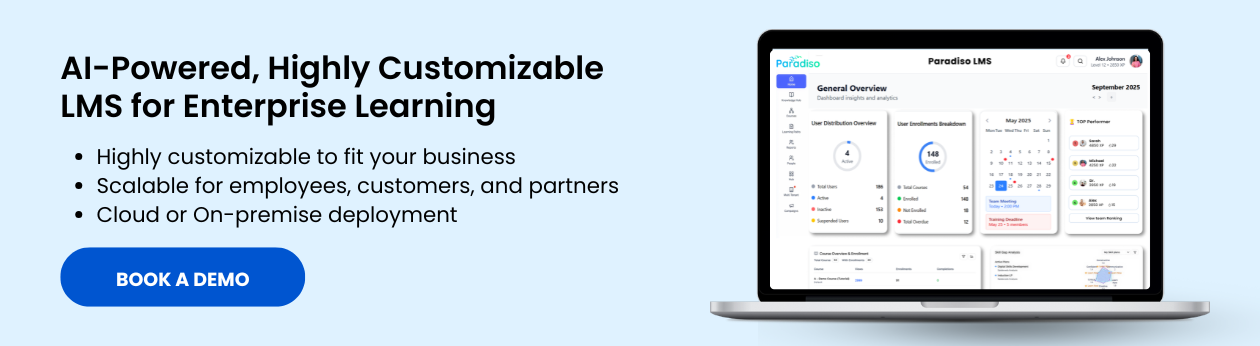
Paradiso LMS positions itself as an AI-powered LMS for personalized, scalable training delivery, and it supports SCORM, xAPI, and AICC compatibility. After a course is built in with AI and exported as SCORM, Paradiso LMS can receive the SCORM output and assign training to learners by role, department, or training need.
This keeps the workflow practical: create the course with AI, publish it as SCORM, deliver it through the LMS, and track learner progress.
Example: Build a Data Privacy Course in Under an Hour
Here is what a fast AI course creation workflow could look like.
Best Practices for AI Course Creation
AI can help build training faster, but speed should not come at the cost of quality.
Common Mistakes to Avoid
When Should You Use an AI Course Creation Tool?
An AI course creation tool is especially useful for:
- Fast policy updates
- New hire onboarding modules
- Product update training
- Compliance refreshers
- Sales enablement courses
- Customer service training
- Process training
- Microlearning modules
- Internal knowledge conversion
- Department-specific training
It may not be the right fit for highly complex simulations, advanced certification programs, or training that requires deep custom multimedia production unless your team has time for additional design and review.
The best use case is rapid, structured, business-focused training that needs to be created, reviewed, and delivered quickly.
How AI Helps Build Training Faster
AI helps L&D teams speed up course creation by combining AI content generation, document-to-course conversion, storyboarding, quizzes, interactivity, voiceover, and SCORM export.
Its AI Course Creator can generate training modules, assessments, and summaries, while its authoring tool lets teams build from scratch, generate with AI, or import existing files. The platform is also designed for non-technical users, with the authoring tool page noting that no technical expertise is required.
For corporate training teams, this means faster content production without starting every course from a blank slide deck.
Conclusion
Building a corporate training course no longer has to take weeks for every use case. With an AI course creation tool, L&D teams can move from idea to course draft, quiz, interactivity, branding, and SCORM export in a much shorter workflow.
The key is to use AI wisely. Start with a clear training goal, upload trusted source material, review the AI-generated content, add practical examples, test the learner experience, and publish the course in an LMS-ready format.
AI helps make this process faster by supporting AI course generation, document import, storyboarding, quizzes, voiceover, interactivity, and SCORM export. For L&D teams that need to build training quickly without losing structure, AI course creation can become a practical part of the corporate learning workflow.