




Quick Answer
What is SCORM?
SCORM (Sharable Content Object Reference Model) is the technical standard that allows eLearning courses to work inside a Learning Management System. When a course is SCORM-compliant, the LMS can import it, launch it for learners, and automatically record who completed it, how long they spent, and what score they achieved – without any manual tracking. SCORM was developed by the US Department of Defense in 2000 and remains the most widely supported eLearning standard in 2026, supported by virtually every LMS on the market. A SCORM course is packaged as a .zip file – called a SCORM package – that any compatible LMS can import and run.
- SCORM stands for: Sharable Content Object Reference Model
- What it does: Allows any SCORM course to run in any SCORM-compatible LMS
- Current versions: SCORM 1.2 (most compatible) and SCORM 2004
What Does SCORM Stand For?
SCORM stands for Sharable Content Object Reference Model. Each word in the name describes a key property of how SCORM works:
- Sharable – a SCORM course built in one authoring tool can be shared with and used in any compatible LMS, not locked to the tool that created it
- Content Object – SCORM packages content into self-contained objects (modules, lessons) that function independently
- Reference Model – SCORM is a reference document that defines the technical rules both authoring tools and LMS platforms must follow to be compatible with each other
SCORM was originally developed by the Advanced Distributed Learning (ADL) initiative of the US Department of Defense in 2000. The military needed a way to create training content that would work across different software systems — so they established a standard that all systems would follow. The same standard was adopted by corporate training, higher education, and government organizations worldwide and remains the dominant eLearning interoperability standard in 2026.
What Is a SCORM File?
A SCORM file is a .zip package that contains your eLearning course in a standardized format an LMS can import and run. Inside the .zip file are the course’s HTML pages, media files (images, video, audio), and a special file called imsmanifest.xml – the manifest that tells the LMS what content is in the package and in what order to present it.
The SCORM .zip file also contains the JavaScript communication scripts that enable the course to “talk” to the LMS — sending data about the learner’s progress, score, and completion status as they move through the content. This communication layer is what makes SCORM tracking possible: without it, the LMS would have no way to know whether a learner completed the course or what they scored on the assessment.
You never open or edit a SCORM file directly. You build the course in an eLearning authoring tool, export as SCORM, and upload the resulting .zip file to your LMS. The LMS reads the manifest, unpacks the content, and delivers it to learners automatically.
What Is a SCORM Package?
A SCORM package and a SCORM file are the same thing – the .zip file that contains your complete course in SCORM format. “Package” is simply the more formal term used in the SCORM specification; “SCORM file” is how most practitioners refer to it informally.
The package is what you upload to your LMS. Once uploaded, you do not need to interact with the package again – the LMS manages delivery, tracking, and learner completion records from that point forward. When the course content changes, you export a new SCORM package from your authoring tool and re-upload it to the LMS to replace the previous version.
What Is SCORM Compliance?
A SCORM-compliant course or LMS is one that correctly implements the SCORM specification – meaning it follows all the technical rules defined in the SCORM standard for how content and platforms communicate.
A SCORM-compliant course exports a properly structured .zip package with a valid imsmanifest.xml and the correct JavaScript API calls for tracking completion, score, and time. If a course is SCORM-compliant, it will work in any SCORM-compliant LMS without requiring custom integration or modification.
A SCORM-compliant LMS can import SCORM packages from any authoring tool, launch them correctly for learners, and record the tracking data the course sends. Most enterprise LMS platforms – Moodle, Cornerstone, SAP SuccessFactors, TalentLMS, Paradiso LMS – are fully SCORM-compliant.
SCORM compliance is the reason you can build a course in Articulate Storyline, export it as a SCORM package, and upload it to Moodle – and it works. Without SCORM, every authoring tool and every LMS would use proprietary formats, making them incompatible with each other.
SCORM 1.2 vs SCORM 2004 – Which Version Should You Use?
| Feature | SCORM 1.2 | SCORM 2004 |
|---|---|---|
| LMS compatibility | Universal – every SCORM-compliant LMS | Most modern LMS platforms (not all older ones) |
| Sequencing and navigation | Basic – linear only | Advanced – conditional branching between modules |
| Tracking data | Completion, score, time, pass/fail | Same, plus more granular interaction data |
| Best choice for | 95% of corporate training use cases | Programs requiring adaptive paths between modules |
| Default recommendation | ✅ Yes – use this unless you have a specific reason not to | Only when your LMS confirms support and you need advanced sequencing |
For most organizations: use SCORM 1.2. It is supported by every LMS, it tracks everything corporate training requires, and it has zero compatibility risk. SCORM 2004’s advanced sequencing capabilities are only relevant when your course needs to route learners to different modules based on their quiz performance – an uncommon requirement for standard compliance, onboarding, or product knowledge training.
How Does SCORM Work with an LMS?
The SCORM communication process happens automatically in the background while a learner completes a course. Here is what happens step by step:
- The LMS imports the SCORM package. The administrator uploads the .zip file. The LMS reads the imsmanifest.xml to understand the course structure, creates a course entry, and makes it available for learner enrollment.
- A learner launches the course. The LMS opens the course in a browser window (or iframe). As the course loads, the SCORM JavaScript code in the package establishes a connection with the LMS – this is called the SCORM API handshake.
- The course sends tracking data to the LMS. As the learner progresses – viewing slides, answering quiz questions, spending time on content — the course sends data to the LMS through the SCORM API: current slide, time elapsed, quiz answers, score.
- The LMS records completion. When the learner reaches the final slide or passes the assessment (depending on how the course is configured), the course sends a “completed” and “passed” status to the LMS. The LMS records this in the learner’s transcript.
- The administrator sees the report. In the LMS reporting dashboard, the administrator can see every learner’s completion status, score, time spent, and completion date — automatically, without any manual data entry.
What Types of Content Can Be SCORM Packaged?
SCORM packaging is not limited to interactive eLearning courses. Any web-based content that can be structured into HTML can be wrapped in a SCORM package, including:
- Interactive eLearning courses – the most common use case, built in authoring tools with slides, quizzes, and interactions
- PowerPoint presentations converted to SCORM – existing training decks converted for LMS delivery and tracking
- PDF documents converted to SCORM – policy documents, manuals, and reference guides packaged for completion tracking
- Video training content – training videos wrapped in a SCORM completion trigger that marks the learner complete after viewing
- Assessment-only packages – knowledge checks and certifications with no course content, used for pre-assessments or standalone testing
How to Create a SCORM Course
Creating a SCORM course requires an eLearning authoring tool that exports SCORM format. The basic workflow is:
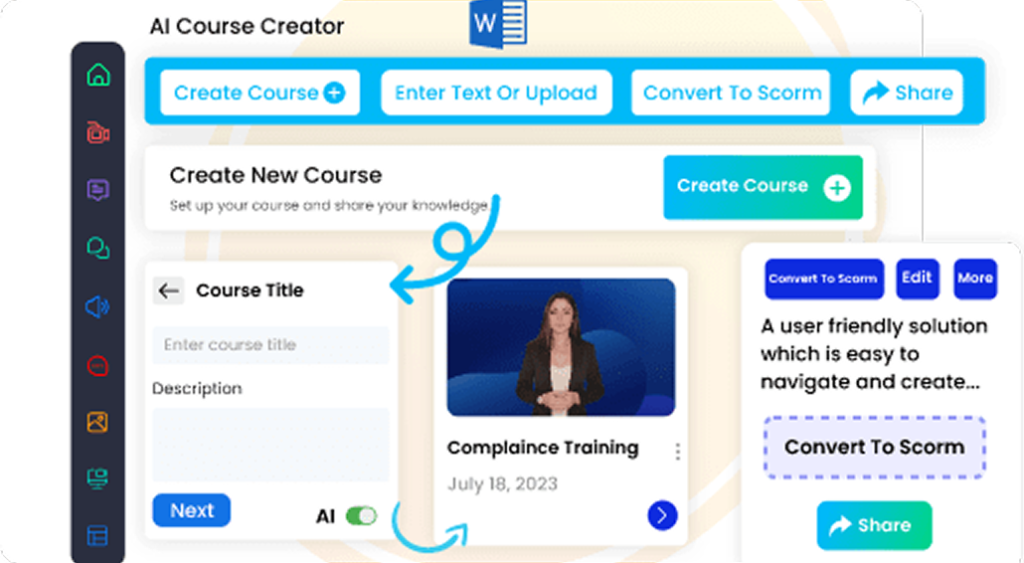
- Choose an authoring tool. Options range from free AI-powered tools to professional paid suites. For free SCORM export with AI course generation, Paradiso Authoring Tool generates complete SCORM-ready courses from a text prompt or uploaded document at no cost. Paid alternatives include Articulate 360 ($1,449/year) and Adobe Captivate ($408/year).
- Build your course content. Create slides, add interactions, write quiz questions, and record or generate voiceover narration inside the authoring tool.
- Export as SCORM. In the authoring tool’s publish or export settings, select SCORM 1.2 or SCORM 2004 as the output format. The tool generates the .zip package automatically.
- Upload to your LMS. In your LMS, navigate to the course creation area, upload the SCORM .zip file, configure enrollment settings, and publish. Learners can now access, complete, and be tracked automatically.
If you already have training content in PowerPoint, PDF, or Word format, you can convert it directly to SCORM without rebuilding it from scratch. Paradiso’s free PowerPoint to SCORM converter does this in a browser – no install required – and adds AI-generated quizzes to the converted slides.
Frequently Asked Questions
What does SCORM stand for?
SCORM stands for Sharable Content Object Reference Model. It is a technical standard developed by the US Department of Defense in 2000 that defines how eLearning courses and Learning Management Systems communicate with each other. A SCORM-compliant course can be imported and tracked by any SCORM-compliant LMS, regardless of which authoring tool created it.
What is a SCORM file?
A SCORM file is a .zip package containing an eLearning course in a standardized format that an LMS can import and run. Inside the .zip file are the course’s HTML pages, media files, and an imsmanifest.xml file that tells the LMS the course structure. The package also contains the JavaScript communication scripts that send tracking data – completion status, score, time spent – to the LMS as the learner progresses through the course.
What does SCORM compliant mean?
SCORM compliant means a course or LMS correctly implements the SCORM technical specification, ensuring they can communicate and work together properly. A SCORM-compliant course exports a valid SCORM package that any compatible LMS can import. A SCORM-compliant LMS can import and track any SCORM course regardless of the authoring tool used to create it. SCORM compliance is what makes eLearning tools interoperable – you can build in one tool and deliver in any LMS.
What is the difference between SCORM 1.2 and SCORM 2004?
SCORM 1.2 and SCORM 2004 are two versions of the SCORM standard. SCORM 1.2 has universal LMS compatibility and covers all standard tracking requirements (completion, score, time, pass/fail). SCORM 2004 adds advanced sequencing that can route learners to different modules based on quiz performance, but is not supported by all LMS platforms. For most corporate training, SCORM 1.2 is the recommended choice – it works everywhere and covers every tracking need standard training requires.
Can I convert a PowerPoint to SCORM?
Yes. You can convert a PowerPoint presentation to SCORM using a SCORM authoring tool or a dedicated online converter. Paradiso’s free PowerPoint to SCORM converter converts your slides to a SCORM package in a browser – no Windows install needed – and optionally adds AI-generated quiz questions to the converted slides. The output is a SCORM 1.2 or SCORM 2004 .zip file ready to upload to any LMS.
Does every LMS support SCORM?
Virtually every modern LMS supports SCORM 1.2. SCORM has been the dominant eLearning interoperability standard since 2001, and its support is a baseline expectation for any enterprise LMS. SCORM 2004 support is widespread but not universal – if you plan to use SCORM 2004, confirm your LMS version supports it before authoring your course in that format. Open-source platforms like Moodle support both versions, as do enterprise platforms including Cornerstone, SAP SuccessFactors, TalentLMS, and Paradiso LMS.
Is SCORM being replaced by xAPI?
xAPI (Experience API, also called Tin Can) is a newer standard that tracks learning activities beyond the browser — mobile apps, simulations, offline learning, and real-world performance data. It is more flexible than SCORM and requires a Learning Record Store (LRS) in addition to an LMS. xAPI is growing in adoption for advanced learning analytics use cases but has not replaced SCORM for standard corporate eLearning delivery. In 2026, SCORM remains the more widely supported and more commonly used standard for packaging and delivering eLearning courses through an LMS. Most organizations use both: SCORM for standard LMS-delivered courses, xAPI for extended learning ecosystem tracking.
Further Reading
For a deeper technical guide to SCORM – including all four converter formats (PowerPoint, PDF, Word, and video to SCORM), SCORM version comparison, and SCORM troubleshooting – see Paradiso’s complete SCORM guide.
To start creating SCORM courses for free:
- Paradiso Authoring Tool – free AI-powered SCORM course creation, no credit card
- Free PowerPoint to SCORM converter – convert existing slides in minutes
- Best free SCORM authoring tools – full comparison with pros, cons, and use cases