



Quick Answer
What is a SCORM-compliant course, and how do you create one?
A SCORM-compliant course is eLearning content packaged to the SCORM standard so any SCORM-compliant LMS can import it, launch it, and record the learner’s progress, score, and completion. You do not code the standard by hand. You build the course in an authoring tool (or convert an existing PowerPoint, PDF, or Word file), export it as SCORM 1.2 or SCORM 2004, and test the .zip package before it goes live. The authoring tool generates the manifest file and the communication scripts that make the course compliant.
- The package: a .zip file with an imsmanifest.xml at its root
- The versions: SCORM 1.2 for the widest LMS support, SCORM 2004 for sequencing
- The proof: test the package in SCORM Cloud and in your own LMS before launch
What Does SCORM-Compliant Mean?
SCORM stands for Sharable Content Object Reference Model. It is a set of technical specifications created by the Advanced Distributed Learning (ADL) initiative of the US Department of Defense, so that eLearning content built in one tool can run and be tracked in any learning management system that supports the standard.
A course is SCORM compliant when it follows those specifications closely enough that a compliant LMS can import it, launch it, and exchange data with it. In practice, compliance comes down to four things:
- Packaging. Every course file is zipped into one package, with an imsmanifest.xml file at the root that describes the course structure and which file the LMS should open first.
- Launch. The manifest points to one or more launchable pieces of content, called Sharable Content Objects (SCOs). The LMS opens them in a browser window or frame.
- Communication. When the course opens, it looks for an API adapter that the LMS provides, then uses standard function calls to start the session, read and write data, and end the session.
- Data. The course reports completion, score, and time using the data element names the standard defines, so every LMS reads them the same way.
You never write any of this yourself. The authoring tool builds the manifest and the communication scripts when you export. Your job is to build good content, choose the right version, and test the result.
SCORM 1.2 vs SCORM 2004: what changes for compliance
The two versions follow the same four principles but differ in the details. This is what determines which one you should export.
| Detail | SCORM 1.2 | SCORM 2004 |
|---|---|---|
| Released | 2001 | 2004, with four editions through 2009 |
| API adapter name | API | API_1484_11 |
| Status tracking | One combined status field (completed, incomplete, passed, failed) | Separate completion and success fields |
| Bookmark data limit | 4,096 characters | 64,000 characters |
| Sequencing rules | None (linear content) | Conditional paths defined in the manifest |
| LMS support | Near-universal | Wide, but support varies by edition |
| Choose it when | You want the safest default for standard training | Your LMS confirms support and you need adaptive paths |
If you are unsure, export SCORM 1.2. If you need branching between modules based on quiz results, export SCORM 2004 3rd Edition after confirming your LMS supports it. For a deeper comparison, see this guide to SCORM 1.2 vs SCORM 2004, or start with what SCORM is if the standard is new to you.
“SCORM compliant” is a claim, not a guarantee
The label gets used loosely across the industry. A tool that says it produces SCORM-compliant courses is telling you what it intends to do. It does not promise the output will behave identically in every LMS, because LMS vendors implement the standard with small differences. That is why testing matters more than any badge, and why the testing section below is the most useful part of this guide.
How to Create SCORM-Compliant Courses: 3 Methods
All three methods end the same way: an export step that produces a .zip package. The difference is how much of the course you build yourself.
Method 1: Generate the course with an AI authoring tool
Best for: new training on a topic you know well, such as compliance, onboarding, or product knowledge, when you do not have existing slides to convert.
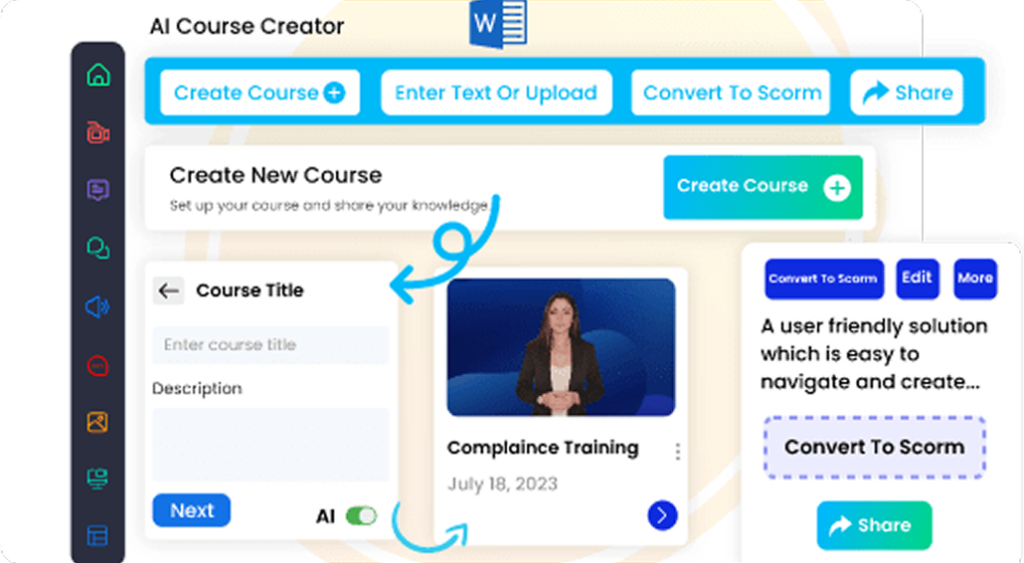
An AI authoring tool turns a few details into a complete first draft of the course. Here is how the flow works in an AI authoring tool such as Paradiso Authoring Tool:
- Start a new course. Click Create a Course, then choose Generate using AI.
- Enter the course details. Add the title, skill level, duration, industry, target audience, and course language.
- Review the learning objectives. Click Generate Objectives. The draft objectives are fully editable, so adjust them before moving on.
- Choose a template and a narration voice. You can preview voices before selecting one, then click Generate Outline.
- Edit the outline. Rename, reorder, add, or delete sections and slides. Nothing is built until you approve the outline.
- Generate the full course. The tool builds each slide with content, narration, and design. Generation time depends on the course length.
- Refine and add quizzes. Edit any element, then add quiz questions manually or generate them across a range of slides at an Easy, Medium, or Hard level.
- Export. Choose SCORM 1.2 or SCORM 2004 and download the .zip file. You can also publish directly to a connected LMS.
Free · SCORM Export · No Credit Card
Create your first SCORM-compliant course with AI
Paradiso Authoring Tool generates a course from a topic or an uploaded document, lets you edit anything, and exports SCORM. Free to start.
To see how AI generation fits into a full production workflow, read AI Course Generator: From Prompt to Published SCORM Course.
Method 2: Convert existing content into a SCORM package
Best for: teams with training already built as PowerPoint decks, PDFs, or Word documents that now need LMS tracking.
Rebuilding existing material from scratch wastes time. A converter reads the structure of your file, keeps the content, adds navigation, and exports a SCORM package. Most teams also add a short quiz at the end so the LMS has a score to record. A PowerPoint to SCORM converter handles the PowerPoint route, and the same approach works for PDF and Word files.
One caution: converting a deck keeps its weaknesses. If the original slides are text-heavy, the SCORM course will be too. A quick pass to add scenarios, shorten text, and insert knowledge checks improves the result far more than the conversion itself.
Method 3: Build in a traditional authoring tool or by hand
Best for: custom interactions, software simulations, or complex branching that AI-generated structures do not cover.
Established tools such as Articulate 360, Adobe Captivate, iSpring Suite, and Elucidat give you a blank canvas or template library and a SCORM publish option. Developers can also package custom HTML5 content by adding a SCORM JavaScript wrapper and writing the manifest manually. This is the most flexible route and the slowest, and it is the one most likely to produce compliance errors if the manifest or API calls are not handled carefully. For standard training, Methods 1 and 2 are faster and less error-prone.
SCORM-Compliant Authoring Tools: A Quick Comparison
Every tool below can export SCORM. Confirm the exact versions (1.2, 2004 editions) in each tool’s documentation before you commit, since support is the detail most often assumed and least often checked.
| Tool | Best for | Free option |
|---|---|---|
| Adobe Captivate | Software simulations and responsive design | Free trial |
| Articulate 360 | Complex interactions and branching | Free trial |
| Easygenerator | Subject matter experts without design training | Free trial |
| Elucidat | Large teams that need collaboration and governance | Demo-based |
| iSpring Suite | Teams that build in PowerPoint | Free trial |
| Mindsmith | Responsive AI-generated modules | Freemium |
| Paradiso Authoring Tool | AI-generated courses and document conversion | Free plan |
For feature-level detail, see these guides to SCORM-compliant authoring tools and the features to look for, or browse the full SCORM authoring tools overview.
SCORM-Compliant Software: Which Type Do You Need?
“SCORM-compliant software” covers four different kinds of products, and mixing them up is a common source of confusion when you shop.
| Software type | What it does | What “SCORM compliant” means here |
|---|---|---|
| Authoring tool | Builds courses and exports packages | The packages it exports follow the SCORM specifications |
| Converter | Turns PowerPoint, PDF, or Word files into packages | The converted output follows the SCORM specifications |
| LMS | Imports, launches, and tracks packages | It can read the manifest, provide the API adapter, and store the reported data |
| Testing tool | Validates and runs packages outside your LMS | It acts as a neutral reference player |
What makes an LMS SCORM compliant?
A SCORM-compliant LMS must do three things reliably: read the manifest and import the package, expose the API adapter the course looks for when it launches, and store the data the course reports, such as completion, score, time spent, and bookmark position. Differences in how well each LMS does these three things explain why a package can work in one system and misbehave in another. If you are comparing platforms, this guide to the best SCORM-compliant LMS options walks through what to check.
How to Check Whether a Course Is SCORM Compliant
Run these five checks in order. Each one takes a few minutes and catches a different class of problem.
- Open the .zip and look at the root. The imsmanifest.xml file should be visible immediately, not inside a subfolder. A manifest buried in a folder is the most common reason an LMS rejects a package.
- Check the version. Confirm the package was exported as the version your LMS supports (1.2, or a specific 2004 edition).
- Test in SCORM Cloud. Upload the package to SCORM Cloud, which offers a free tier for testing (check its current limits). Launch the course as a learner would, finish it, and confirm that completion and score are recorded. If it passes here, the file is sound.
- Test in your own LMS. Upload the same .zip, without unzipping it, to a test course. Complete it with a test learner and confirm the transcript shows the right status and score.
- Test the edge cases. Close the course halfway and reopen it to check resume behavior. Fail the quiz on purpose and confirm the status reads as failed. Pass it and confirm it reads as passed.
If a package passes SCORM Cloud but fails in your LMS, the problem is almost always LMS configuration or an LMS-specific quirk, not the file. If it fails in both, fix the package and re-export.
Common problems and what causes them
| Symptom | Likely cause | Fix |
|---|---|---|
| LMS rejects the upload | Manifest not at the root, or the package was unzipped and re-zipped | Re-export with default settings and upload the original .zip |
| Course loads but never marks complete | Completion trigger does not match the content, such as “passed quiz” with no quiz | Set the trigger to last slide viewed, or add the assessment |
| Score is missing from the transcript | Quiz score not reported, or an LMS mastery score overrides it | Enable score reporting in the tool and review the LMS course settings |
| Learners restart from the beginning | Bookmark not saved, or resume disabled in the LMS | Turn on resume in the LMS and confirm bookmarking in the export settings |
| Works in SCORM Cloud, fails in the LMS | LMS version support or launch settings | Try the other SCORM version and check the LMS launch window settings |
| Upload fails on a large course | File size exceeds the LMS upload limit | Compress video and audio, then re-export |
SCORM-Compliant Training: Where It Matters Most
SCORM-compliant training is the default for any program where the organization needs a record that learning happened. That includes regulatory and policy training, onboarding, product and partner training, and certification programs, because the LMS captures who finished, how they scored, and how long they spent without any manual data entry.
Be careful with one point of terminology. “SCORM compliance” is a technical term about how content is packaged and tracked. It is not the same as compliance training, which is training on laws, regulations, and company policy. A course on workplace safety can be SCORM compliant or not. SCORM is simply the format that makes its completion records portable and reliable. If compliance training is your main use case, see this page on creating compliance training courses with AI.
When SCORM Is Not Enough
SCORM tracks activity inside a course that runs in an LMS. It does not track learning that happens outside the browser, such as in a mobile app, a simulation, or on the job. Two newer standards cover those gaps. xAPI records learning experiences from many sources into a Learning Record Store. cmi5 builds on xAPI with rules for launching content from an LMS. If your reporting needs go beyond completion and score, read this comparison of xAPI vs SCORM. For most LMS-delivered training, SCORM remains the practical choice because nearly every LMS supports it.
SCORM-Compliant Course Checklist
Copy this list into your project plan before you export:
- ☐ Learning objectives written before content is built
- ☐ SCORM version confirmed with your LMS administrator
- ☐ Completion trigger set to match the course design
- ☐ Quiz scoring and passing threshold configured and reporting enabled
- ☐ Package exported with default file settings
- ☐ imsmanifest.xml visible at the root of the .zip
- ☐ Package tested in SCORM Cloud
- ☐ Same .zip uploaded to the LMS without unzipping
- ☐ Test learner completed the course, and status and score are correct
- ☐ Resume behavior verified by closing and reopening the course
- ☐ Version number recorded for future updates
Frequently Asked Questions
What does SCORM compliant mean?
SCORM compliant means an eLearning course is packaged and built to the SCORM specifications, so a SCORM-compliant LMS can import the .zip file, launch the course, and record the learner’s progress, score, time spent, and completion status. The standard was created by the Advanced Distributed Learning (ADL) initiative of the US Department of Defense. Because vendors apply the term loosely, you should always test a package in SCORM Cloud and in your own LMS rather than relying on the label.
How do I make a course SCORM compliant?
Build the course in an authoring tool that supports SCORM, or convert an existing PowerPoint, PDF, or Word file, then export it as SCORM 1.2 or SCORM 2004. The tool generates the manifest file and communication scripts automatically. After exporting, test the .zip package in SCORM Cloud and in your LMS, and confirm that completion and score are recorded correctly before you assign the course.
How can I check if a course is SCORM compliant?
Open the .zip file and confirm imsmanifest.xml sits at the root, check that the package version matches your LMS, then upload it to SCORM Cloud and launch it as a learner. Finish the course and confirm that completion and score are reported. Repeat the test in your own LMS. A package that passes in both places is reliably compliant for your environment.
Should I use SCORM 1.2 or SCORM 2004?
Use SCORM 1.2 when you want the broadest LMS compatibility and simple tracking of completion, score, and time. Use SCORM 2004, ideally the 3rd Edition, when your LMS confirms support and you need conditional sequencing, such as sending learners to a remediation module after a failed quiz. If you are unsure, export SCORM 1.2.
Does a SCORM-compliant course work in every LMS?
Usually, but not always identically. The standard exists so content can move between systems, yet LMS vendors implement parts of it differently, especially for SCORM 2004 sequencing and bookmarking. That is why a package that works in one LMS can misbehave in another. Test in the LMS you will actually use.
What is a SCORM-compliant LMS?
A SCORM-compliant LMS is a learning management system that can import SCORM packages, launch the course, provide the API adapter the course communicates with, and store the completion, score, and time data the course reports. Most enterprise and mid-market LMS platforms support SCORM 1.2, and many also support SCORM 2004.
Can I convert PowerPoint or PDF files into SCORM-compliant courses?
Yes. A converter reads your slides or pages, preserves the content, adds navigation, and exports a SCORM package. Adding a short quiz before export gives the LMS a score to record. Review the converted course before publishing, since conversion keeps the original content’s structure, including any text-heavy slides.
Is SCORM still worth using in 2026?
For training delivered through an LMS, yes. Nearly every LMS supports SCORM, and it reliably captures completion and score, which is what most programs need. Choose xAPI or cmi5 when you need to track learning outside the browser or across multiple systems.
Conclusion
Creating a SCORM-compliant course is less technical than it sounds. The tool handles the packaging and the communication layer. Your decisions are which version to export, how the course reports completion and score, and whether the finished package behaves correctly in the LMS your learners will use. Testing is the step that separates a course that merely exports from one that tracks reliably.
Start with the method that matches what you already have: an AI authoring tool for a new topic, a converter for existing slides or documents, or a traditional tool for custom interactions. Then run the five checks above before you assign the course to anyone. For the full step-by-step export and upload process, this guide on how to create a SCORM file covers each stage in detail.
Related resources:
- What Is SCORM? – the beginner’s guide to the standard
- SCORM 1.2 vs SCORM 2004 – choosing the right version
- SCORM-Compliant Authoring Tools – how the main options compare
- PowerPoint to SCORM – convert existing slides
- AI Course Creator – generate a course from a prompt or document