




Buying a New LMS Feels Like Progress
A new platform can look promising during evaluation, especially when the interface and reports feel more modern.
The platform has dashboards.
The course catalog looks clean.
The admin tools seem powerful.
The reports look better than your spreadsheets.
The vendor says implementation will be smooth.
But there is one question many teams forget to ask before signing the contract:
Can we actually create enough good training content to make this LMS useful?
An LMS without strong content is like an empty library. The building may be impressive, but learners will not get much value if the shelves are empty, outdated, confusing, or poorly organized.
This is one of the most common reasons LMS projects lose momentum. The organization invests in the platform, launches the system, uploads a few onboarding courses, and then realizes the L&D team does not have enough time, tools, templates, subject matter expert support, or production process to keep content moving.
Before you buy an LMS, you need to evaluate not only the software but also your team’s content readiness.
Why LMS Content Readiness Matters
A corporate LMS is only as useful as the learning experience inside it.
- If the content is outdated, learners will not trust it.
- If the content is too long, employees may not complete it.
- If the content is hard to update, compliance risk increases.
- If content creation depends on one or two people, the LMS will not scale.
- If every course needs weeks of manual design work, your platform will become a bottleneck instead of a solution.
Many LMS buying teams spend most of their time comparing features such as reporting, mobile access, integrations, certificates, and dashboards. These are important. But content creation is equally important because it determines whether the LMS can support real learning programs after launch.
For example, your LMS may support employee onboarding, compliance training, sales enablement, customer education, and partner training. But who will create those courses? Who will review them? Who will update them? Who will turn policy documents, product updates, sales scripts, and process guides into useful learning experiences?
If there is no clear answer, the LMS implementation may start strong and then slow down.
The Hidden Problem: Most Teams Underestimate Content Work
Training content does not appear automatically.
Even when your organization already has materials, they are often not LMS-ready. You may have slide decks, PDFs, recorded webinars, policy documents, SOPs, product sheets, checklists, videos, and classroom training notes. But these assets usually need to be converted into structured learning.
- A 60-page policy document is not a course.
- A recorded webinar is not always good for microlearning.
- A slide deck is not automatically an assessment.
- A product manual is not a learner-friendly certification path.
To make content LMS-ready, your team may need to break material into modules, write learning objectives, add knowledge checks, create scenarios, design assessments, build completion rules, add certificates, format content for mobile, and tag courses properly.
This takes time. It also requires collaboration between L&D, subject matter experts, managers, compliance teams, sales leaders, HR, and sometimes legal or IT.
That is why content readiness should be part of the LMS buying process, not an afterthought during implementation.
Before You Buy an LMS, Audit Your Existing Content
The first step is to review what training content already exists.
Most organizations have more content than they realize, but it may be scattered across shared drives, email folders, intranet pages, old LMS exports, Google Drive, SharePoint, video libraries, and department-owned folders.
Create a simple content inventory.
Content Migration Inventory Example
Use this structure to review content format, ownership, migration readiness, and update needs.
| Content Item | Format | Owner | Status | LMS Ready? | Needs Update? |
|---|---|---|---|---|---|
| New hire onboarding deck | PowerPoint | HR | Current | No | Yes |
| Safety training module | SCORM | Compliance | Current | Yes | No |
| Product demo recording | Video | Sales | Outdated | No | Yes |
| Partner certification guide | Channel team | Current | No | Maybe | |
| Leadership training workshop | Classroom notes | L&D | Current | No | Yes |
This audit helps you understand what can be reused, what needs updating, what must be rebuilt, and what should be retired.
It also helps prevent content overload. Not every old training asset belongs in the new LMS. A clean LMS launch is better than uploading hundreds of outdated files that learners will ignore.
Ask: What Content Must Be Ready for Launch?
You do not need every course ready on day one. But you do need enough content to support the LMS launch.
Start with your highest-priority training programs.
For most companies, this may include:
- New hire onboarding
- Mandatory compliance training
- Role-based employee training
- Manager training
- Sales product training
- Customer education basics
- Partner certification content
The goal is to define a minimum viable learning catalog.
This means identifying the courses learners actually need immediately after the LMS goes live. Then your team can build a phased content roadmap for the next 30, 60, and 90 days.
Example LMS Rollout Phases
Roll out priority training first, then expand into advanced learning programs and AI-enabled use cases.
Onboarding, compliance, basic employee training
Sales enablement, leadership training, customer education
Partner certification, advanced skills paths, AI roleplay practice, refresher training
This prevents your LMS project from becoming delayed because everyone is waiting for a “perfect” content library.
Check Whether Your Team Can Create Content Fast Enough
A common mistake is assuming the L&D team can create content at the same speed the business requests it.
Use this checklist to capture what each group needs from the corporate LMS.
HR wants onboarding updates.
Compliance wants annual retraining.
Sales wants product launch training.
Customer success wants customer education.
Operations wants process training.
Managers want leadership modules.
Partners want certification paths.
Without a scalable content workflow, the LMS becomes another source of pressure for L&D.
Ask these questions before buying:
How many courses can our team realistically create each month?
- Do we have instructional design support?
- Do subject matter experts have time to contribute?
- Can managers review content quickly?
- Do we have course templates?
- Can we create quizzes and assessments efficiently?
- Can we update courses without rebuilding everything?
- Do we need AI authoring support?
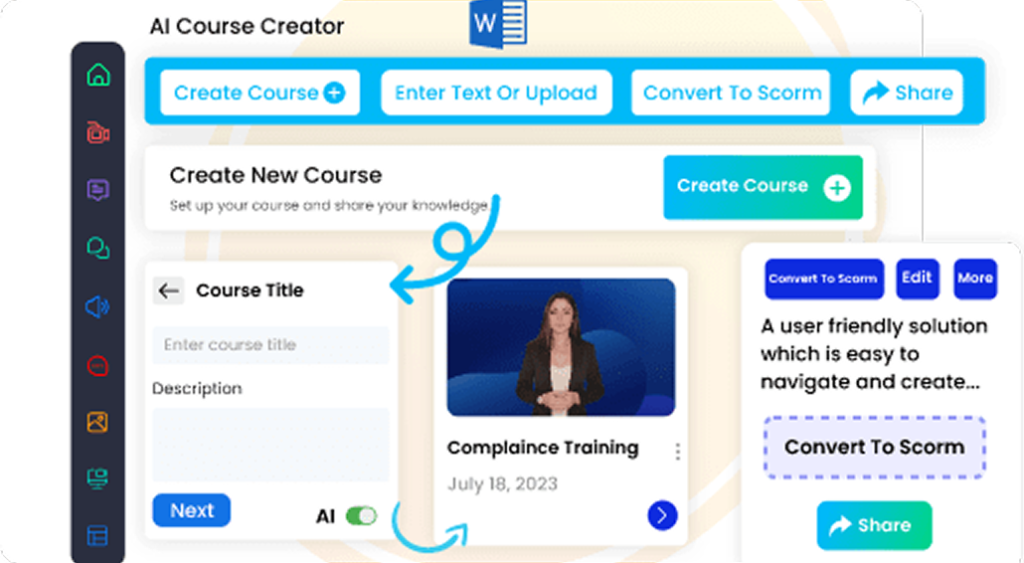
If your team is small, AI-assisted course creation may be important. AI authoring can help turn documents into course outlines, create first-draft lessons, generate quiz questions, suggest learning objectives, and speed up content development. Human review is still essential, but AI can reduce the blank-page problem and help teams move faster.
Do You Need SCORM, Video, Microlearning, or AI-Generated Courses?
Not all training content should use the same format.
Some topics work well as short videos. Others need SCORM modules, assessments, simulations, job aids, live sessions, or scenario-based learning.
For example, compliance training may need SCORM tracking, certificates, completion rules, and audit-ready reporting. Product training may work better as short modules, demos, quizzes, and sales scenarios. Leadership training may need blended learning with live workshops and reflection activities. Customer education may need short how-to videos and searchable product guides.
Before choosing an LMS, define which content formats you need.
Common LMS Content Formats
Review the formats your LMS should support before migration, implementation, or vendor selection.
SCORM courses
Videos
PDFs
Slide decks
Quizzes
Assessments
Surveys
Learning paths
Certificates
Microlearning modules
Instructor-led training
Virtual classroom sessions
AI-generated course drafts
Roleplay simulations
Knowledge checks
The LMS should support your content strategy, not force your team into one format.
Build Templates Before You Build Courses
Templates are one of the easiest ways to speed up LMS content creation.
Without templates, every course starts from scratch. Different departments may create inconsistent training experiences. Learners may see different structures, instructions, assessments, and completion expectations from one course to another.
Build a Simple Template Library
A simple template library can help teams create consistent training faster and avoid rebuilding every course from scratch.
Useful templates include:
Compliance course template
Product training template
Manager training template
Customer education template
Partner certification template
Microlearning lesson template
Quiz template
Scenario-based learning template
Course description template
Templates help L&D teams create content faster and maintain quality. They also make it easier for subject matter experts to contribute because they do not have to guess what a course should look like.
For example, a product training template might include:
- Product overview
- Key features
- Customer pain points
- Use cases
- Demo video
- Common objections
- Knowledge check
- Certification quiz
This structure gives sales teams consistent training while still allowing each product course to be customized.
Define the Content Review Workflow
Good LMS content requires review.
A course may need input from subject matter experts, compliance teams, HR, legal, sales leaders, product managers, or department heads. If the review workflow is unclear, content gets delayed.
Define LMS Content Ownership
Before buying an LMS, clarify who owns each step of the content lifecycle.
Who owns each course?
Who creates the first draft?
Who reviews accuracy?
Who approves compliance language?
Who checks learner experience?
Who publishes the course?
Who updates it later?
This is especially important for compliance training, healthcare training, financial services training, safety training, and partner certification programs.
A strong content workflow prevents outdated or unapproved material from entering the LMS. It also reduces confusion when updates are needed.
Plan for Updates, Not Just Launch
Training content is never finished.
Policies change. Products change. Regulations change. Processes change. Systems change. Sales messaging changes. Customer needs change.
If your team only plans content for launch, the LMS will become outdated quickly.
Every course should have an owner, review date, and update cycle.
For example:
- Compliance courses may be reviewed annually.
- Product courses may be reviewed after every release.
- Onboarding courses may be reviewed quarterly.
- Sales training may be updated with new messaging.
- Customer education may be updated when product features change.
Your LMS should make it easy to update content, manage versions, notify learners, and retrain people when required.
This is where content operations become just as important as content creation.
Content Readiness Checklist Before Buying an LMS
Use this checklist before choosing a corporate LMS:
Content Readiness Checklist Before Buying an LMS
Corporate LMS Content Readiness Checklist
Use this checklist before choosing a corporate LMS.
Have we audited existing training content?
Do we know which courses must be ready at launch?
Have we identified outdated or duplicate content?
Do we know which formats we need: SCORM, video, PDF, quizzes, AI courses?
Do we have course templates?
Do we have subject matter expert availability?
Do we have a review and approval workflow?
Do we know who owns each course after launch?
Can our team update content quickly?
Do we need AI authoring support?
Can we create assessments and certificates?
Do we have a 30-60-90 day content roadmap?
How This Connects to LMS Buying
When you evaluate a corporate LMS, do not only ask about learner dashboards and reports. Ask how the platform supports content creation and content management.
Useful demo questions include:
- Can admins create simple courses without technical help?
- Can we upload SCORM courses and track them properly?
- Can we build learning paths from different content types?
- Can AI help generate course outlines or quizzes?
- Can we reuse templates across departments?
- Can we update a course without losing learner records?
- Can we manage content versions?
- Can we assign different content to employees, customers, and partners?
- Can we track completion, scores, certificates, and retraining?
These questions reveal whether the LMS can support your content operations after launch.
Where Paradiso LMS Fits
Paradiso LMS is designed for organizations that need more than a place to store courses. It can support corporate training workflows across employee training, compliance learning, customer education, partner training, onboarding, sales enablement, and extended enterprise learning.
For teams evaluating a corporate LMS, Paradiso LMS can support course delivery, learning paths, assessments, certificates, automation, reporting, integrations, and multi-audience training. When paired with AI-powered content creation workflows, teams can reduce manual effort and build learning programs more efficiently.
The key is to evaluate the LMS and the content process together. A strong platform helps your team deliver training. A strong content workflow ensures learners actually receive useful, relevant, and up-to-date learning.
Final Thought
Before you buy an LMS, do not only ask whether the platform is powerful.
Ask whether your team is ready to fill it with useful content.
A successful LMS launch depends on both technology and content operations. You need the right platform, but you also need course templates, subject matter expert workflows, update cycles, content owners, learning paths, assessments, and a realistic publishing plan.
The best LMS is not the one with the most features. It is the one your team can actually use to create, manage, update, and improve learning at scale.